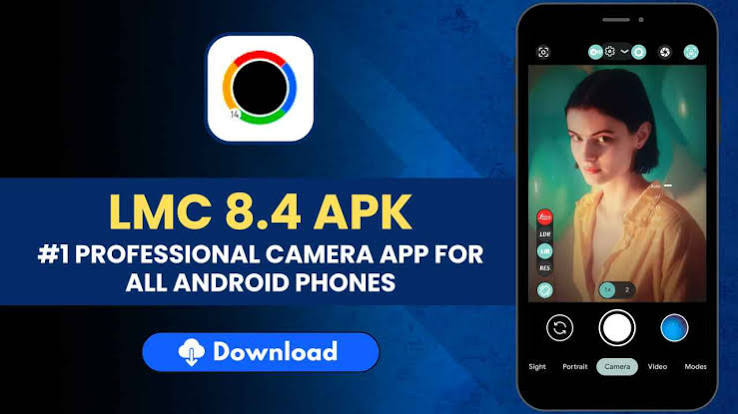

Smartphone photography has developed rapidly, and Android users now have access to many camera applications beyond the one that comes pre-installed on their phones. For users who enjoy experimenting with image quality, shooting modes, and camera settings, the LMC 84 APK File can be an interesting option to explore on compatible devices.
LMC 8.4 is a third-party GCam port that focuses on computational photography and camera customization. Depending on the smartphone, it can provide useful tools for daylight photography, portraits, low-light shots, and night scenes.
What Is LMC 8.4?
LMC 8.4 is an unofficial Google Camera-based application for Android smartphones. It offers an alternative to the standard camera app and can provide additional options for users who want more control over photography.
The application may support several advanced camera modes and settings. However, its functionality depends heavily on the smartphone being used. A camera feature available on one model may not work on another because Android devices have different sensors, processors, firmware, and camera drivers.
For this reason, users should always consider device compatibility before installing a particular version.
Why Consider LMC 8.4?
The stock camera app is designed mainly for convenience. It usually handles image processing automatically and provides a simple interface for everyday photography.
LMC 8.4 is aimed more toward users who like customization. It can allow photographers to experiment with image processing and different camera modes.
Another reason people try the application is its support for XML configurations. These files can contain predefined settings that make it easier to adjust the camera for a specific smartphone.
Main Features of LMC 8.4
HDR+ for Improved Dynamic Range
HDR+ is designed to balance areas with different brightness levels. It can combine multiple frames to help preserve details in highlights and shadows.
This feature can be useful for landscapes, outdoor scenes, buildings, and photographs taken in challenging lighting conditions.
Night Sight for Low-Light Photography
Night Sight is designed to make low-light photographs brighter and more detailed. It uses multiple frames and computational processing to improve the final image.
Results depend on the camera sensor and configuration of the smartphone, but supported devices can benefit from this mode when taking pictures at night or indoors.
Portrait Mode
Portrait Mode is designed to make the main subject stand out by adding blur to the background.
It can be useful for photographing people, pets, and close-up subjects. Good lighting and proper positioning can help the camera create a cleaner separation between the subject and background.
Astrophotography
Astrophotography can be used on supported devices to capture stars and night-sky scenes.
Since the camera may require longer exposure times, keeping the phone stable is extremely important. A tripod or secure surface can help reduce camera movement.
RAW Capture
RAW photography is useful for users who want to edit their pictures in greater detail. It can provide more information for adjusting exposure, shadows, highlights, and colors during post-processing.
RAW support depends on the smartphone’s camera hardware and software.
LMC 84 APK File Compatibility
The LMC 84 APK File may perform differently across Android smartphones. Several hardware and software factors can affect how well the application works.
Before installation, check:
- Android version
- Processor and chipset
- Camera2 API support
- Camera sensor capabilities
- Device firmware
- Camera lens access
- RAM and processing resources
Some smartphones may support only the primary camera, while others may provide access to multiple lenses. Certain advanced features may also require a compatible XML configuration.
If the application crashes, fails to open, or does not detect a particular camera, the issue may be related to compatibility.
XML Configurations for Better Control
XML configurations can make LMC 8.4 easier to customize. Instead of manually adjusting numerous settings, users can load a configuration containing predefined values.
Depending on the file, settings may affect color tones, exposure, contrast, sharpness, noise reduction, and other image-processing parameters.
A configuration made for the exact smartphone is generally a better starting point than one created for a completely different model.
Users can test multiple compatible files and compare their results. Saving a backup of a working configuration is also helpful before experimenting with new settings.
How to Install LMC 8.4
The installation procedure is similar to other APK applications on Android.
First, download a compatible version from a source you trust. Once the file is saved, open the phone’s file manager and locate the APK.
Select the file and follow the instructions shown on the screen. Depending on your Android version, you may receive a security prompt regarding installation from an external source.
Before continuing, verify that the file comes from a trustworthy source. After installation, launch LMC 8.4 and provide the permissions needed for camera access.
The exact steps may vary slightly between Android devices.
Tips for Using LMC 8.4
Start by testing the application with its default settings. Take photographs in daylight, indoors, and at night to understand how it performs on your device.
HDR+ can be useful in high-contrast scenes, while Night Sight is better suited to darker environments. Portrait Mode can be helpful when the subject is clearly separated from the background.
For astrophotography, keep the phone completely still during capture. Even minor movement can reduce image sharpness.
If the default image processing does not meet your expectations, try a suitable XML configuration. Change settings gradually so you can identify which adjustments improve your photographs.
LMC 8.4 vs Stock Camera
The stock camera is usually optimized specifically for the smartphone. It provides a straightforward experience and normally supports the device’s native camera hardware without additional configuration.
LMC 8.4 offers a more customizable approach. It can appeal to users who want to experiment with camera processing and different settings.
The stock camera may be better for quick snapshots and simple operation, while LMC 8.4 can be more interesting for photography enthusiasts.
Neither option is universally better. The results depend on the smartphone, lighting, settings, and individual preferences.
Safety Tips for APK Users
Third-party APK files should be downloaded carefully. Always check the source before installing an application outside an official app store.
Avoid suspicious websites and files that request permissions unrelated to camera functionality. Make sure the application matches your Android version and device.
Keeping your phone’s security features enabled is also recommended when installing third-party software.
Final Verdict
LMC 8.4 is a flexible camera alternative for Android users who want to explore additional photography features. Depending on the device, it can offer HDR+, Night Sight, Portrait Mode, astrophotography, RAW capture, and XML-based customization.
Compatibility is the most important factor to consider because Android smartphones differ in camera hardware and software. Choosing a suitable version and configuration can help users achieve a more stable experience.
For people who enjoy experimenting with smartphone photography and want more control over camera settings, LMC 8.4 can be a worthwhile option to explore.